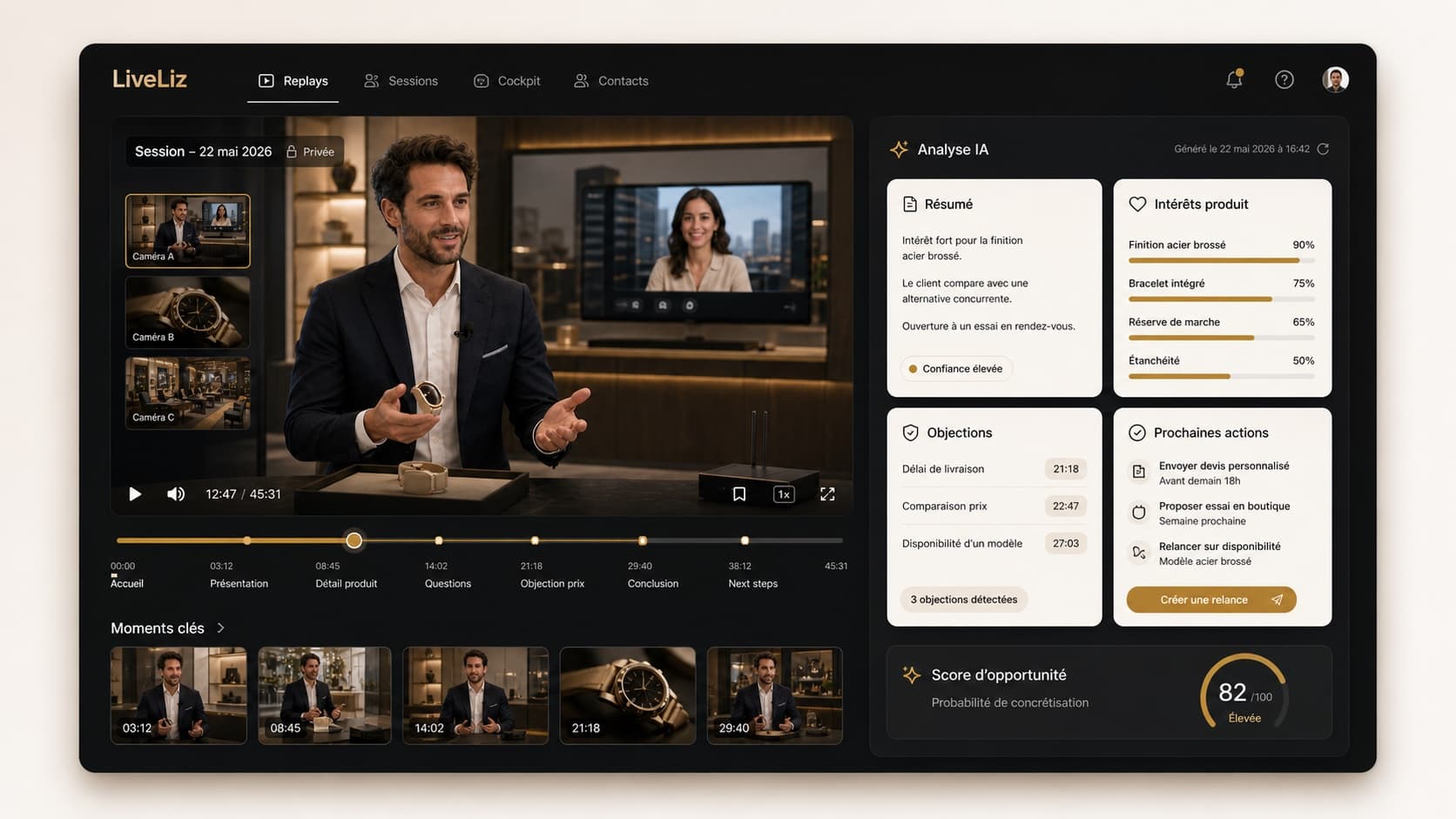
01 · AI Replay
The first proof comes from sessions.
Summary, objections, product interests and next action create an actionable read before any hardware investment.
Start trial · analyzed session · prepared follow-upStart without a kit: measure bookings, attended appointments, AI replays and generated follow-ups, then install the HD controllable showroom once the channel proves its value.
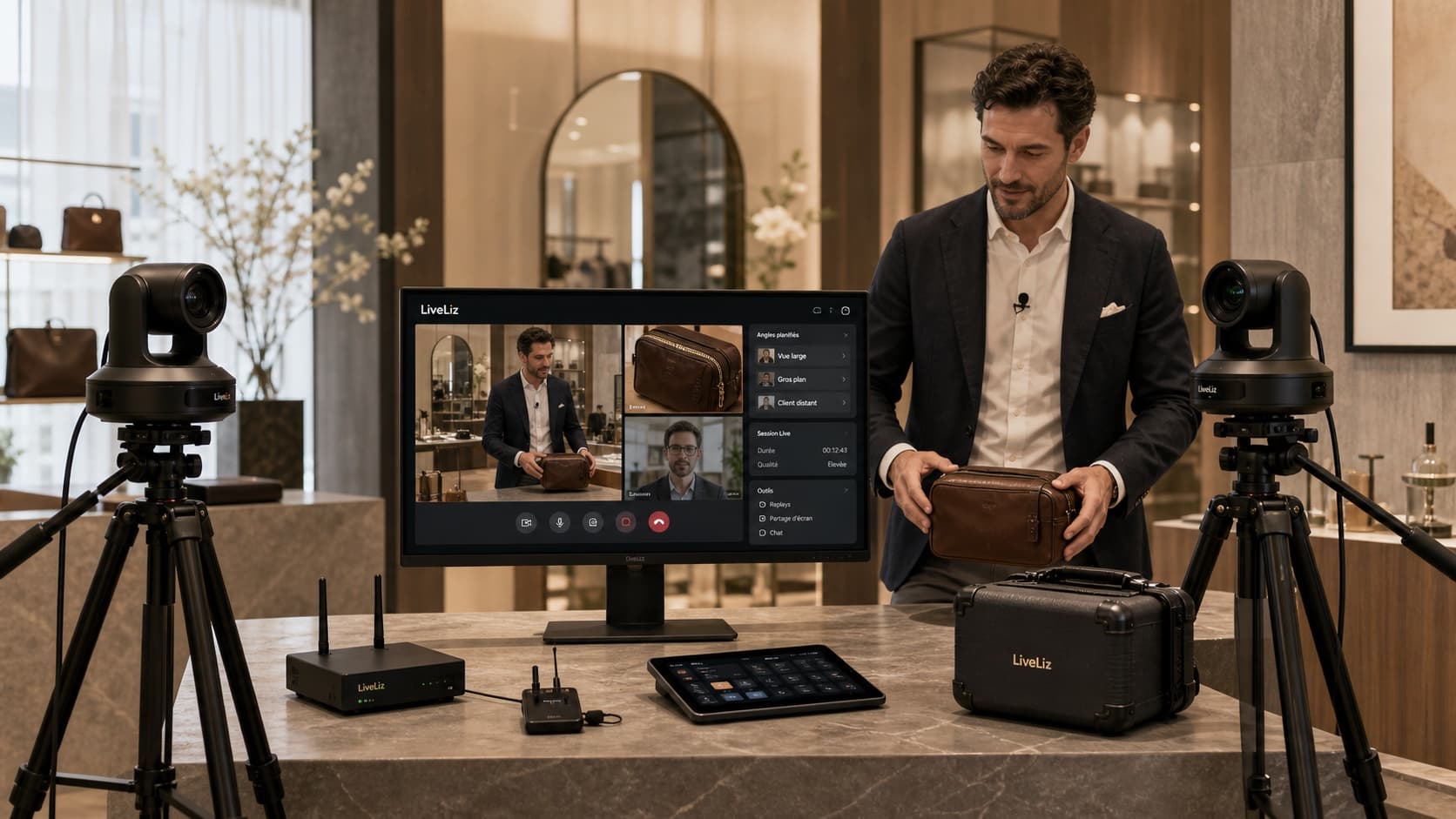
Calendar, guest link and first sessions.
AI Replay, attendance, objections and follow-ups.
HD kit once the channel actually sells.
LiveLiz is launched first with Start, with no hardware and no credit card. Teams measure bookings, attendance, AI-analyzed replays, objections and opportunities, then install the HD controllable showroom only once the remote channel actually sells.
The page follows the real adoption order: an analyzed session, an ROI reading, then the showroom kit prepared to raise the experience quality.
Summary, objections, product interests and next action create an actionable read before any hardware investment.
Start trial · analyzed session · prepared follow-up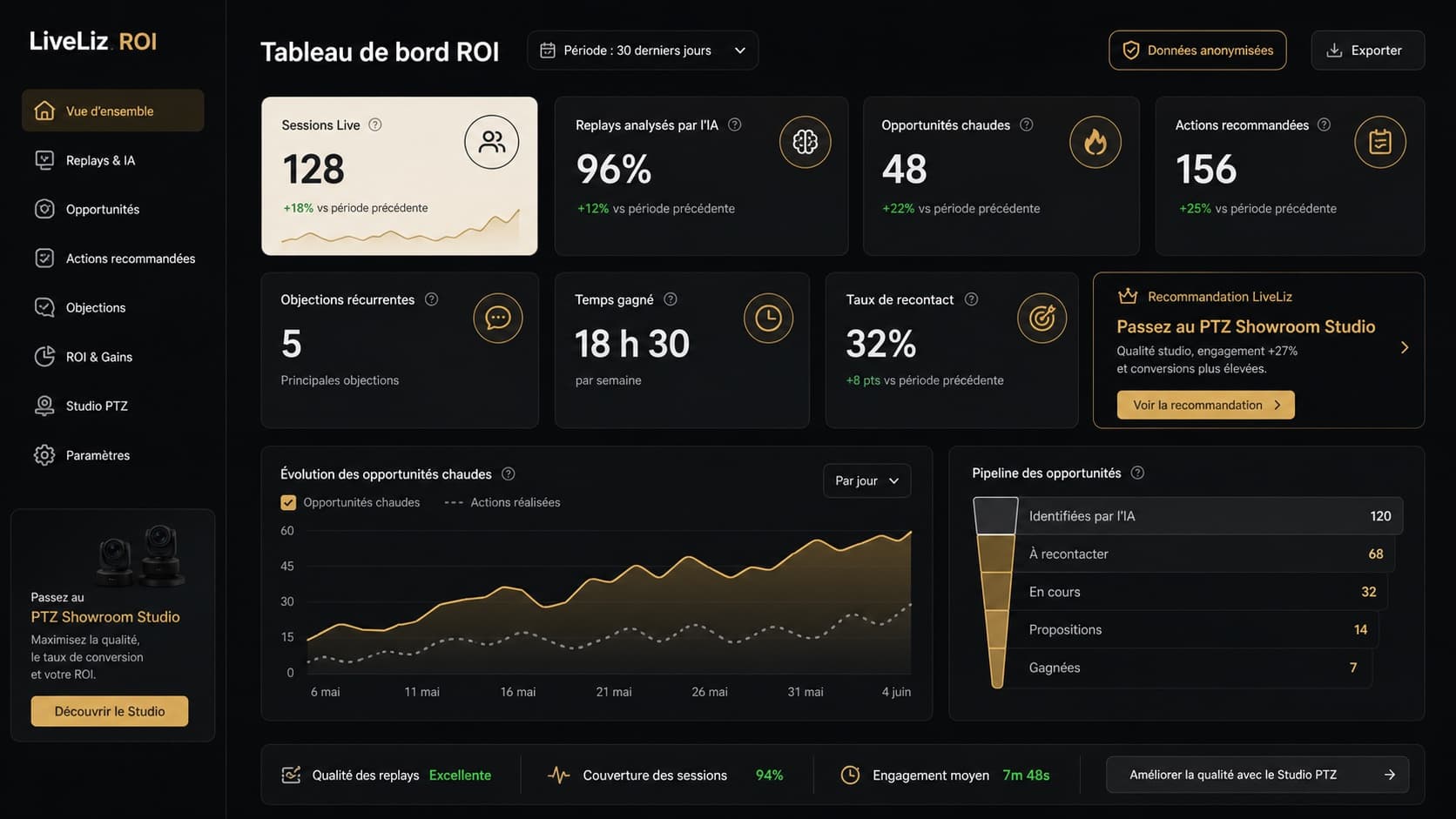
Sessions, replays, hot opportunities and recommended actions show when the HD showroom is worth the move.
Adoption · opportunities · showroom recommendation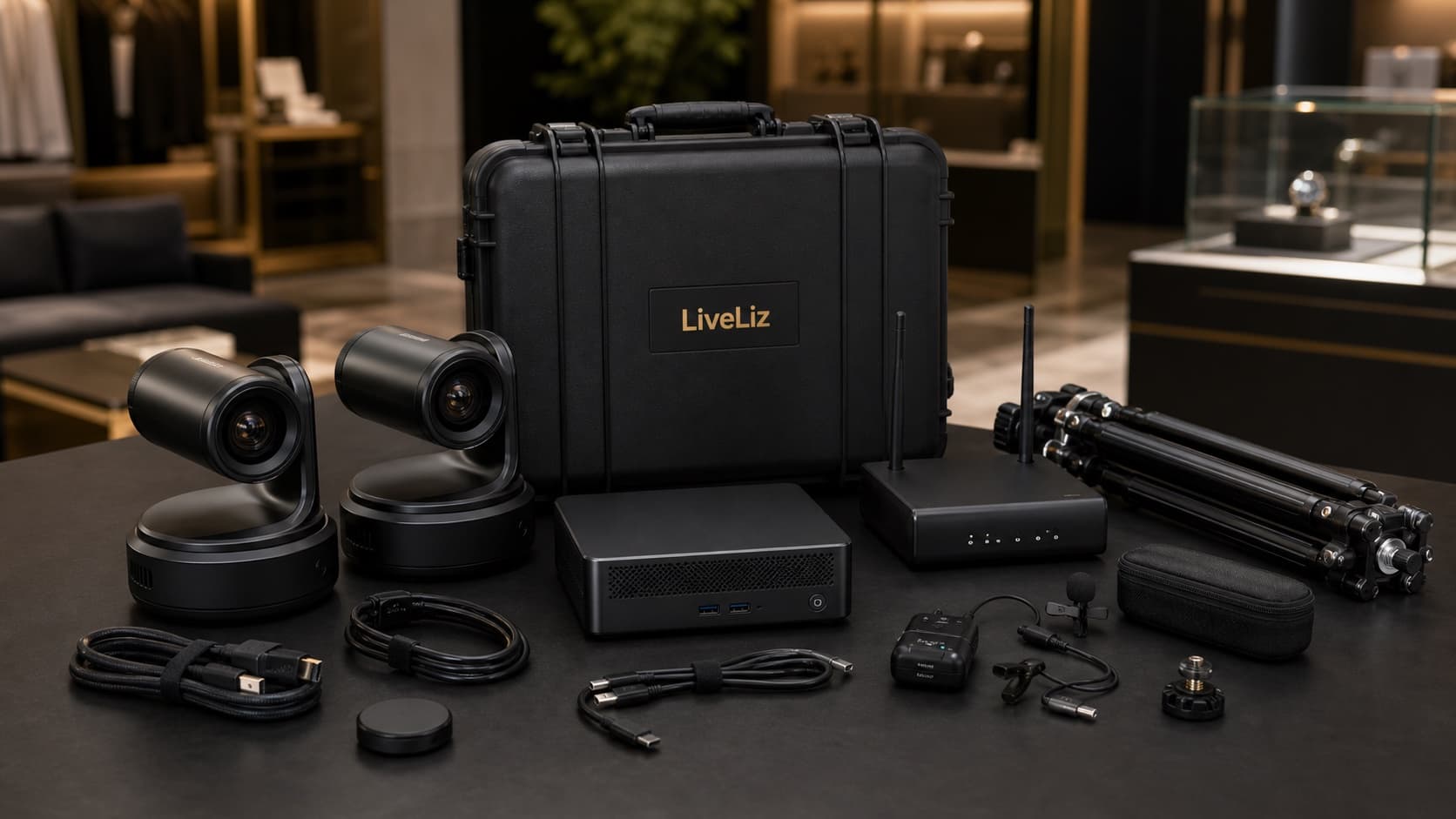
Controllable cameras, mic, network and case are prepared once the remote ritual has been validated through real usage.
HD pack · prepared configuration · launch includedThe launch stays readable for each team: what needs to be opened, tested, measured and then equipped.
Open the calendar, create guest links, publish useful CTAs and launch first sessions with webcam or phone.
Define sellers, slots, use cases, opening scripts, products to show and replay sharing rules.
Track bookings, attendance, duration, AI replays, objections, hot prospects and follow-up actions.
Check network, sound, light, angles, seller space and IT constraints before discussing hardware.
Once the channel sells, install the HD controllable showroom: multi-angle cameras, mic, tripod, case and adapted network mode.
Prepare angles: cabin, fabric macro, dial, artwork, silhouette, seller shot and product shot.
Rehearse welcome, camera operation, replay sharing and follow-up with the AI assistant.
Roll out permissions, replay governance, site-level tracking, welcome standards and Corporate integrations if needed.
Commercial goal, ROI threshold, pilot sites, replay governance and success rules.
Opening ritual, products to show, replay sharing and AI-prepared follow-up.
Bandwidth, Wi-Fi, 5G option, security constraints, seller workstation and support access.
Website CTAs, in-store QR, campaigns, source tracking and vertical pages.
The studio is decided on usage data, not hardware appetite.
We are not only replacing a WhatsApp link. We install a welcome channel: entry points, calendar, invitations, live session, AI Replay and follow-up measurement.
Product, boutique, service, newsletter, QR code or VIP invitation pages point to the right calendar.
Each team chooses its slots, sellers and the types of sessions to offer.
Start lets you launch with a webcam or phone, without waiting for a camera, router or Mac mini.
Once usage is proven, the HD controllable showroom keeps the same journey with a more immersive experience.
Network, seller adoption, replay confidentiality, support and hardware timing are handled before showroom production rollout.
The first step is free and requires no credit card. You validate the use case before discussing hardware rental.
The HD controllable showroom remains LiveLiz property and is made available with a refundable deposit or contractual guarantee.
Preparation, configuration, technical test and first-session checklist are included. No separate setup fee.
Faulty camera, wireless mic, tripod, case or Mac mini? LiveLiz support organizes the replacement.
Sessions, replays and product cards are stored in Europe by default. US storage can be reviewed on request depending on your compliance needs.
A human reachable during session hours, seven days a week. No chatbot loop when a seller has a client waiting.
Start small, validate client interest, then install the right HD controllable showroom configuration.
LiveLiz is deployed first with the free trial, with no hardware and no credit card. Teams measure bookings, attendance, AI replays, objections and hot prospects, then install the HD controllable showroom only once the remote channel actually sells.
No. The right order is to test the remote ritual with a webcam or phone, then diagnose network, sound, lighting and angles before discussing hardware.
The threshold is decided on real usage: session volume, attendance rate, actionable AI replays, hot prospects, image/sound quality and recurring craft-specific needs.
Leadership sets the ROI threshold, sellers define the ritual, IT validates network and security, and marketing installs entry points: CTAs, QR codes, campaigns and vertical pages.